
This post contains affiliate links with my partners. This simply means I may make a small commission if you click and buy a product through the links on the website, but there is no additional cost to you. Please know that I only recommend products that I have vetted and believe will be helpful to my readers.
What I Like About Tailwind
I must say, when Pinterest first came out, it was probably my favorite social media platform. I remember when you had to be invited to sign up for Pinterest. I was intrigued from day one. I used Pinterest to save my favorite things. I used it for inspiration. Everything from fashion to interior decorating, I pinned it. When I found out they had Pinterest accounts for businesses, I knew I wanted one for my blog (unrelated to this one).
How I Discovered Tailwind for Pinterest
Pinterest was and still is really big for bloggers. Everyone would say how they got so many followers and hits to their blog by constantly posting to Pinterest. These bloggers were posting several pins a day. I didn’t think I could compete because I didn’t have hours a day to pin to Pinterest. Turns out, they were using Tailwind to post all of these pins. I gave Tailwind a try, and I was pleased with how easy it is to use.
Tailwind’s Smart Features for Pinterest Marketing
Tailwind has evolved even further since I first started using Tailwind. You can now either upload your own pin or use AI to generate a pin. There is also now a Smartpin feature that automatically creates new pins for your website each week. All you have to do is give your URL for the webpage that you are trying to promote, and Smartpin will create the pin with keywords and a photo. You can make changes to the pictures or design, or wording for the pin. Then you can schedule the pin. You can even make the Smartpin a recurring pin, and you can make changes to the pin right on the Smartpin Dashboard. I think the Smartpin feature is a cool feature to have.
Affiliate Link Below
Tailwind for Businesses and Bloggers
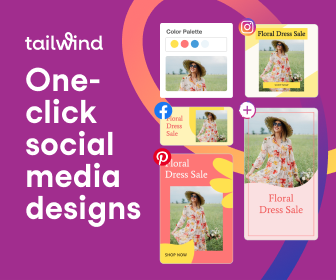
When you run a business or a blog, you have to wear many hats. Any tool that can help you is good to have. Every business needs marketing to bring in new customers. Tailwind can help you with your social media accounts for that purpose. Tailwind doesn’t just integrate with Pinterest. You can schedule Instagram and Facebook posts. It also does email marketing and automation. Tailwind is an official Pinterest Partner and a Meta Business Partner, so this is a software that you can trust with your social media.
Tailwind’s Personalized Marketing Plan
Tailwind even helps you create a personalized marketing plan. You just answer a few questions, and a personalized plan is generated for you. You can make changes to the plan if you would like. I think it is a great touch to all of the other features that Tailwind already offers.
Why the Tailwind Pro Plan Is Worth It
Tailwind does offer a free version, but the Pro version is definitely worth the price. It is cheaper than paying a social media manager or a marketing firm. It’s like having your own marketing assistant, but way cheaper.
Try Tailwind for Yourself
Use my affiliate link to sign up for Tailwind at no extra cost to you; I may earn a small commission that helps support my blog.
